
App removers
Remove the installed app
Uninstalling frees the space used by the app. You need a download or backup to install it again. Some uninstallers also offer to delete its settings and other data.
What you getThe app is no longer installed
App Archiver for macOS
App Archiver compresses installed apps so they use less disk space and still open normally. It can also archive apps until you need them again, or save ZIP and DMG backups.
Same features in both current editions. Setapp needs no separate script installation. Compare editions.
Storage Saver Duo bundles App Archiver and DiskPress on the Mac App Store.
 See App Archiver in action
 Why I built App Archiver
I keep Mac apps that I might need later, but some of them take several gigabytes.
Deleting an app means downloading it again. Saving it in a ZIP file means remembering where I put it.
I built App Archiver to store an app as a compressed archive and leave its icon in Applications. When I need it again, I open the icon to restore it.
Ighor July, developer of App Archiver
Deleting, cleaning, and archiving
Deleting an app removes the installed copy. Clearing caches removes temporary files. Archiving stores the app in a compressed form that you can restore later.
App removers
Uninstalling frees the space used by the app. You need a download or backup to install it again. Some uninstallers also offer to delete its settings and other data.
Cache cleaners
Clearing caches can free space, but it does not reduce the installed app's size. Apps may recreate the cache files as you use them.
App Archiver
Archive in Place compresses the app and leaves a restore launcher in its location. The app must be restored before it can run or update.
Your documents and settings are not included unless you select an app data folder.
Example sizes
This Android Studio installation used 3.48 GB. These are the sizes after optimization, archiving in place, and creating a DMG backup.
Optimized and runnable
1.76GB
Archived in place
1.53GB
Standalone DMG backup
1.31GB
Results vary by app and Mac. Percentages use the rounded sizes shown above. A backup alone does not free space. The installed app stays until you choose to remove it.
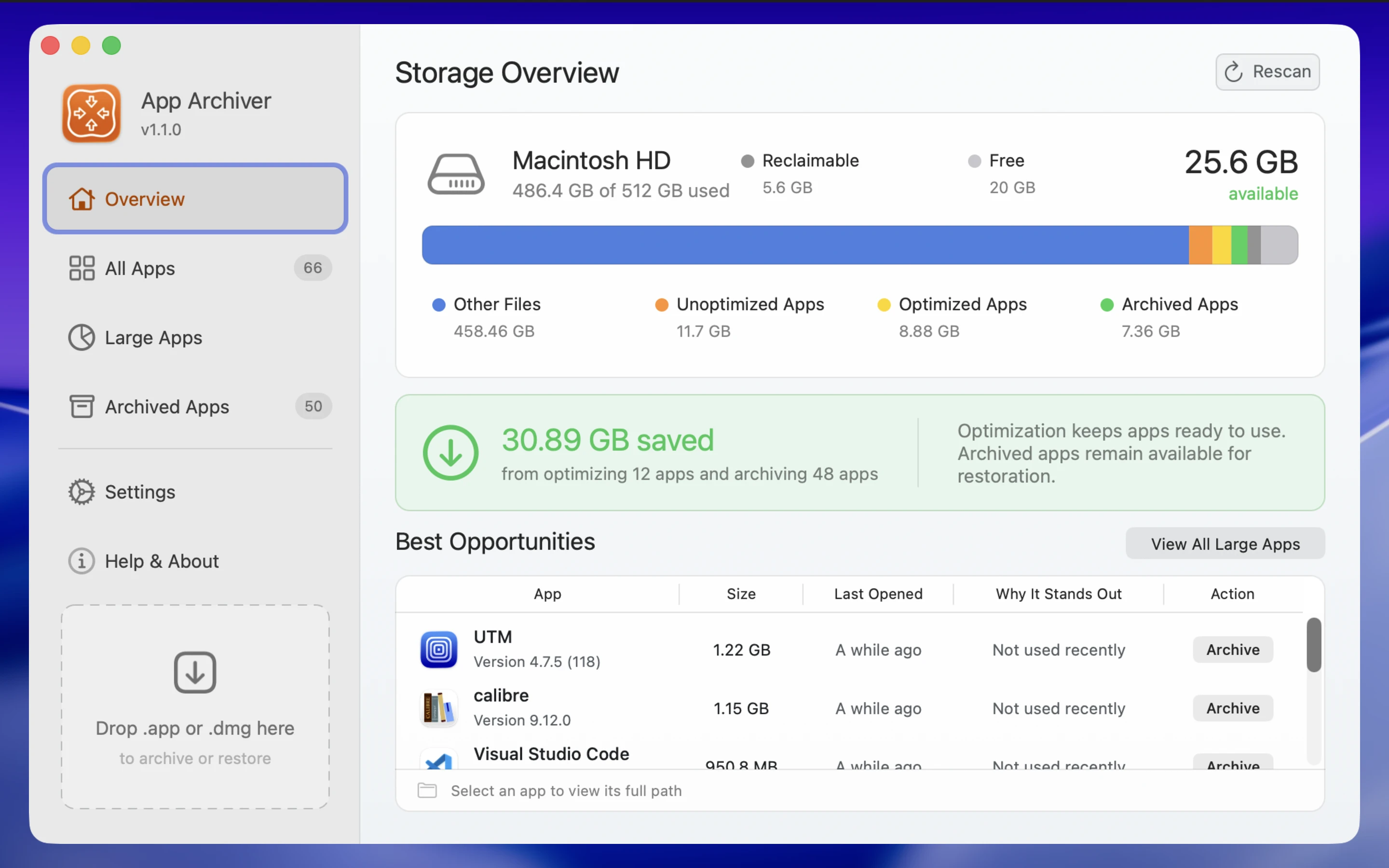
Storage Overview
Check disk usage, review the space saved so far, and find large apps to compress or archive.
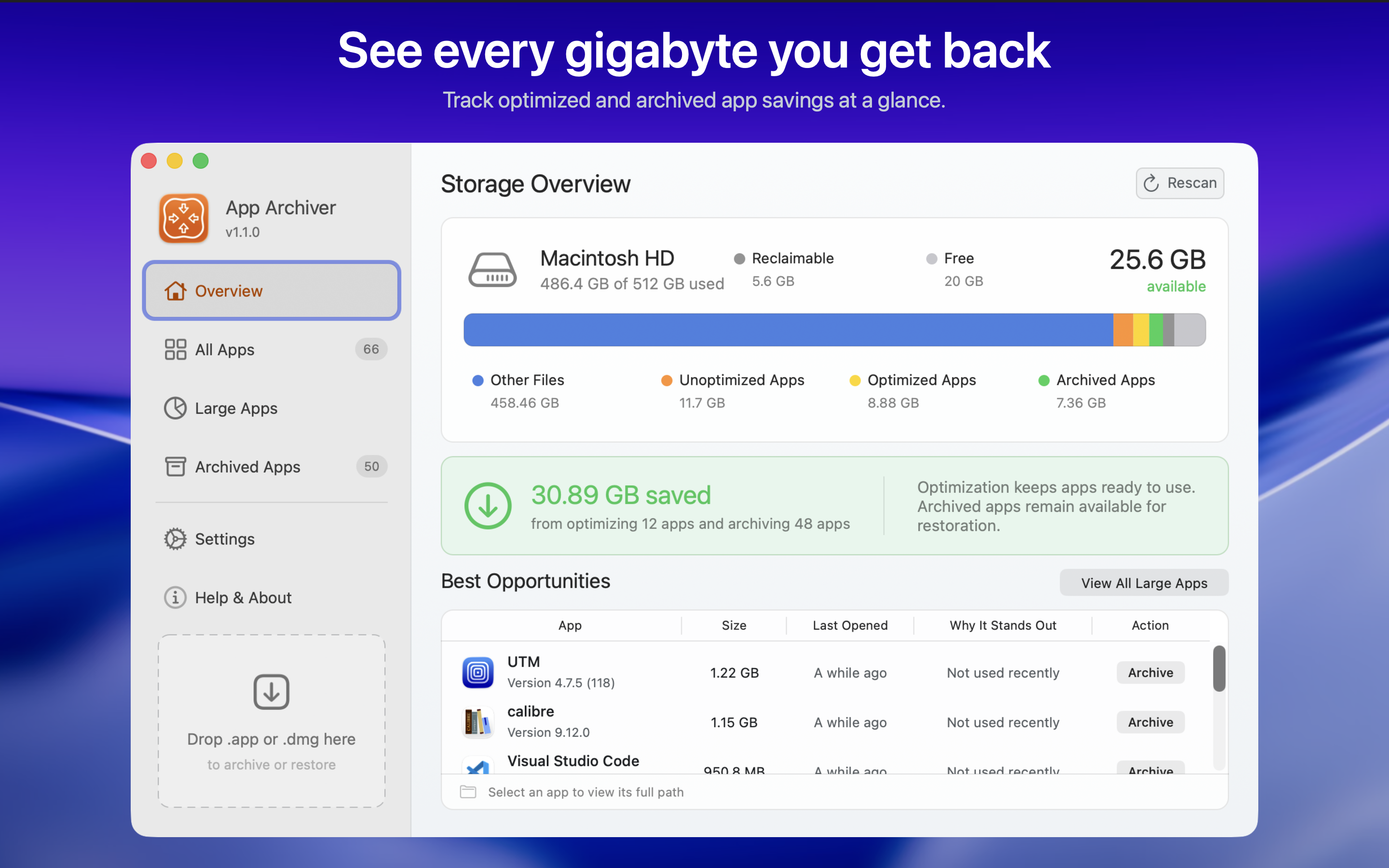
Three actions
Select an app and review the estimated savings. Choose whether to compress it, archive it in place, or create a separate backup.
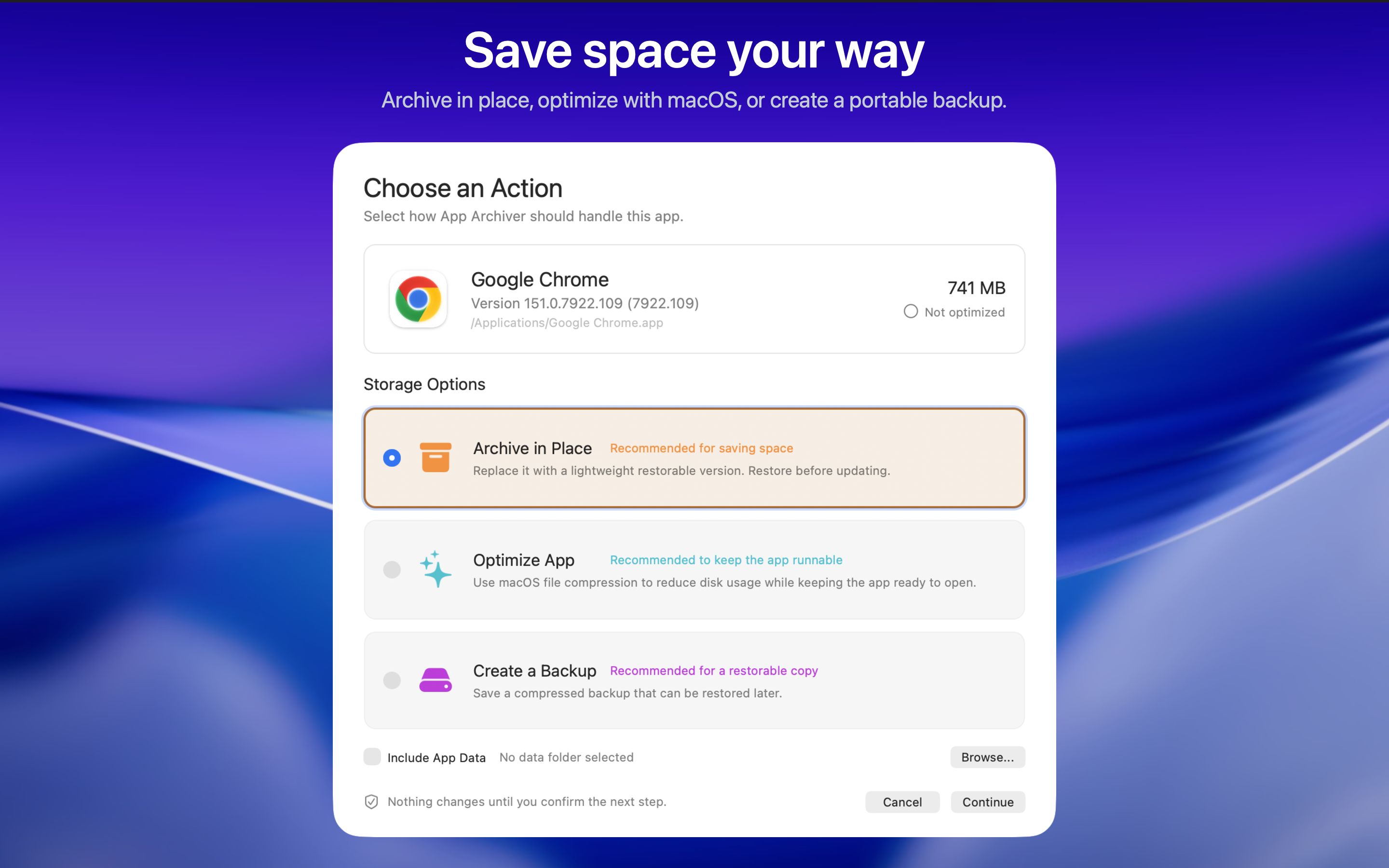
Compress the app's files using macOS filesystem compression. macOS decompresses them as they are read, so you can keep opening and updating the app without restoring it first.
For apps you still useStore the app in a compressed archive and replace it with a small restore launcher. Its icon stays in Applications. Open the icon to restore the app before using it.
For apps you rarely useSave a ZIP or DMG copy to a folder or external drive. App Archiver checks the backup before letting you move the installed app to Trash. You can keep both copies if you prefer.
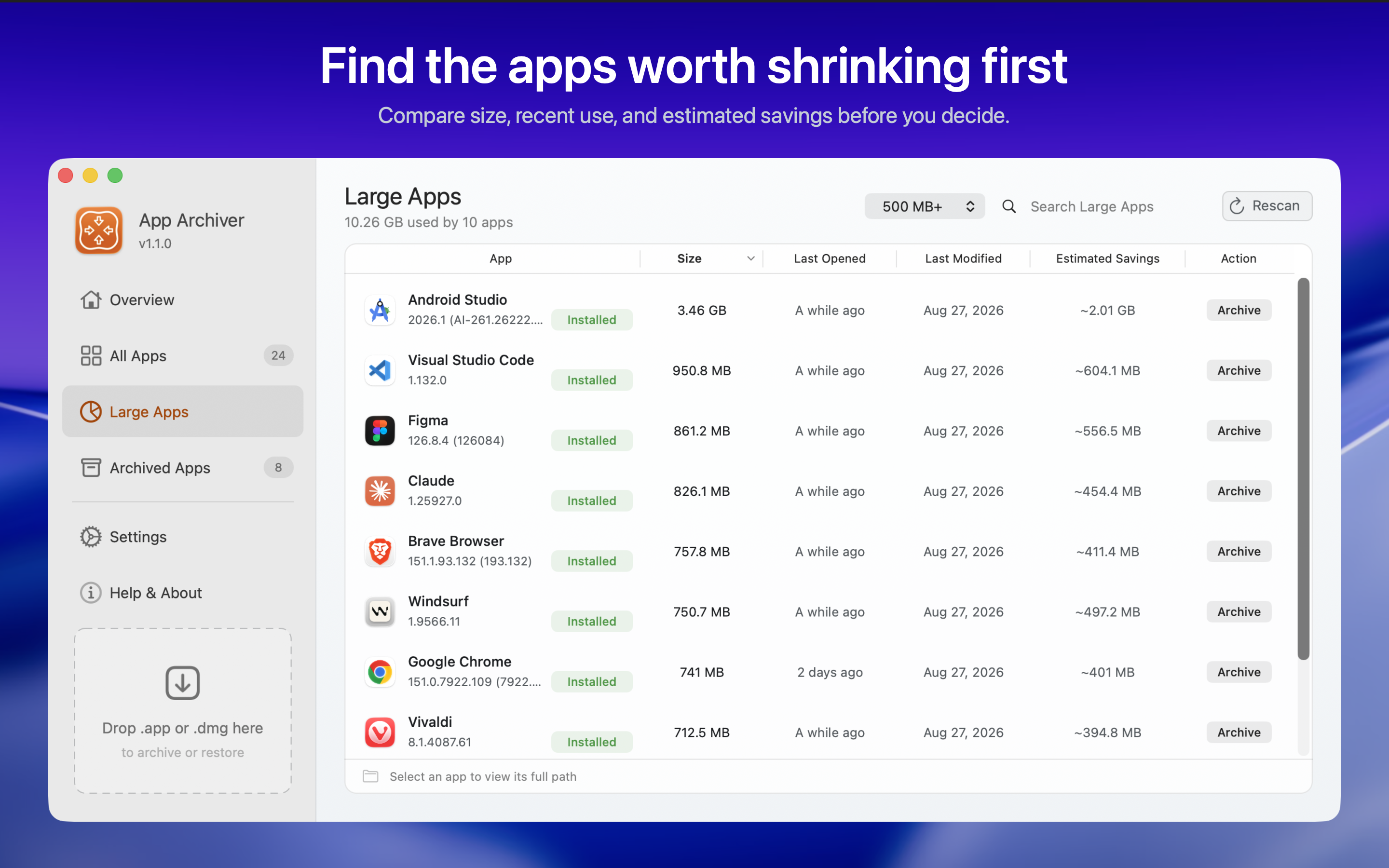
For copies stored separatelyLarge Apps
Compare current size, recent use, and estimated archive savings. Filter large apps from 200 MB to 5 GB and above, then search or sort before choosing an action.
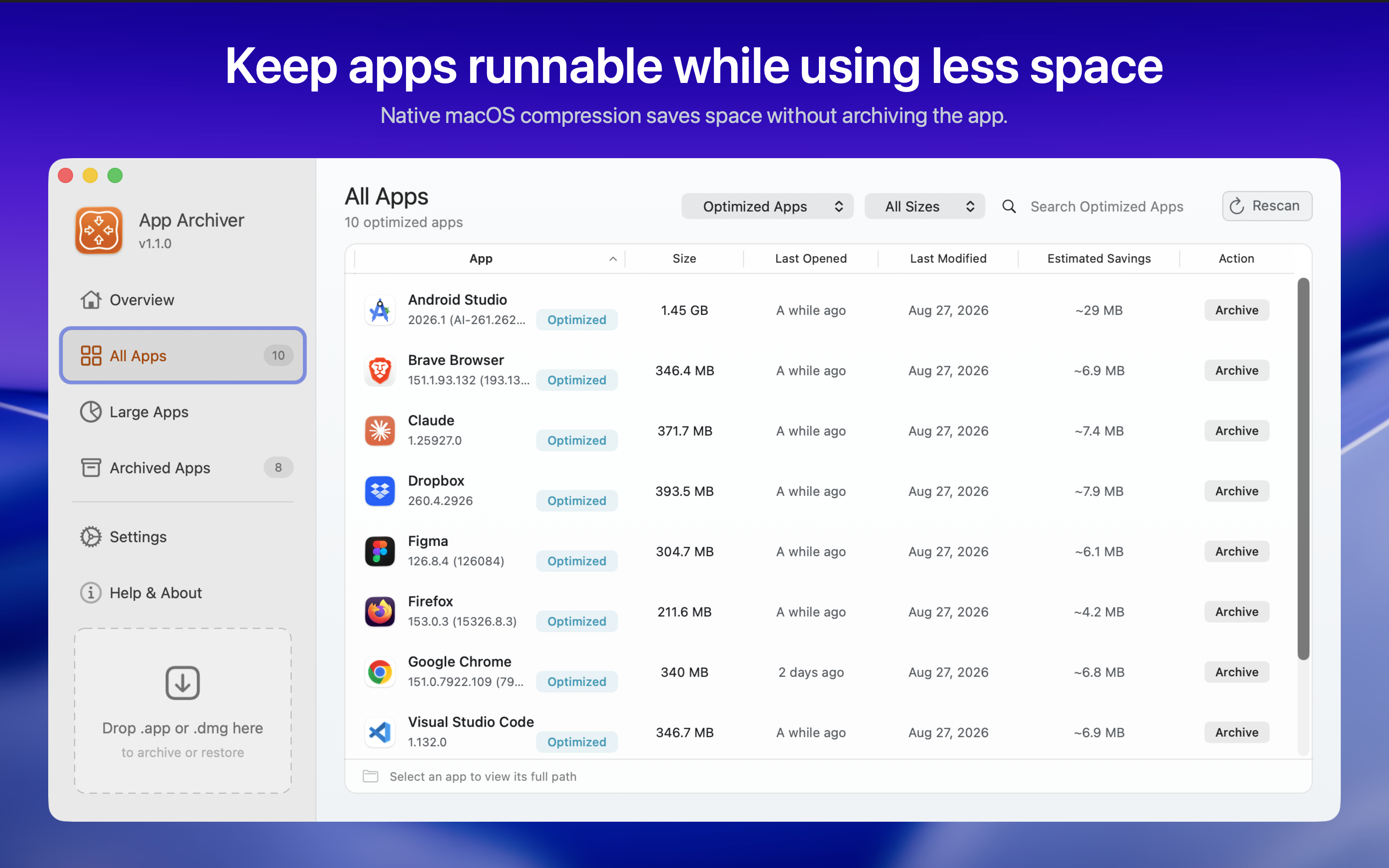
Optimized Apps
Optimization compresses files on disk without changing their contents. macOS reads the original contents automatically. The app stays installed and can open and update normally.
Results vary by app. If compression produces no useful savings, App Archiver leaves the app as it is.
Archived Apps
An in-place archive keeps its icon in Applications and app launchers such as Spotlight. Double-click it to restore the app. You can also browse and restore ZIP and DMG backups in App Archiver.
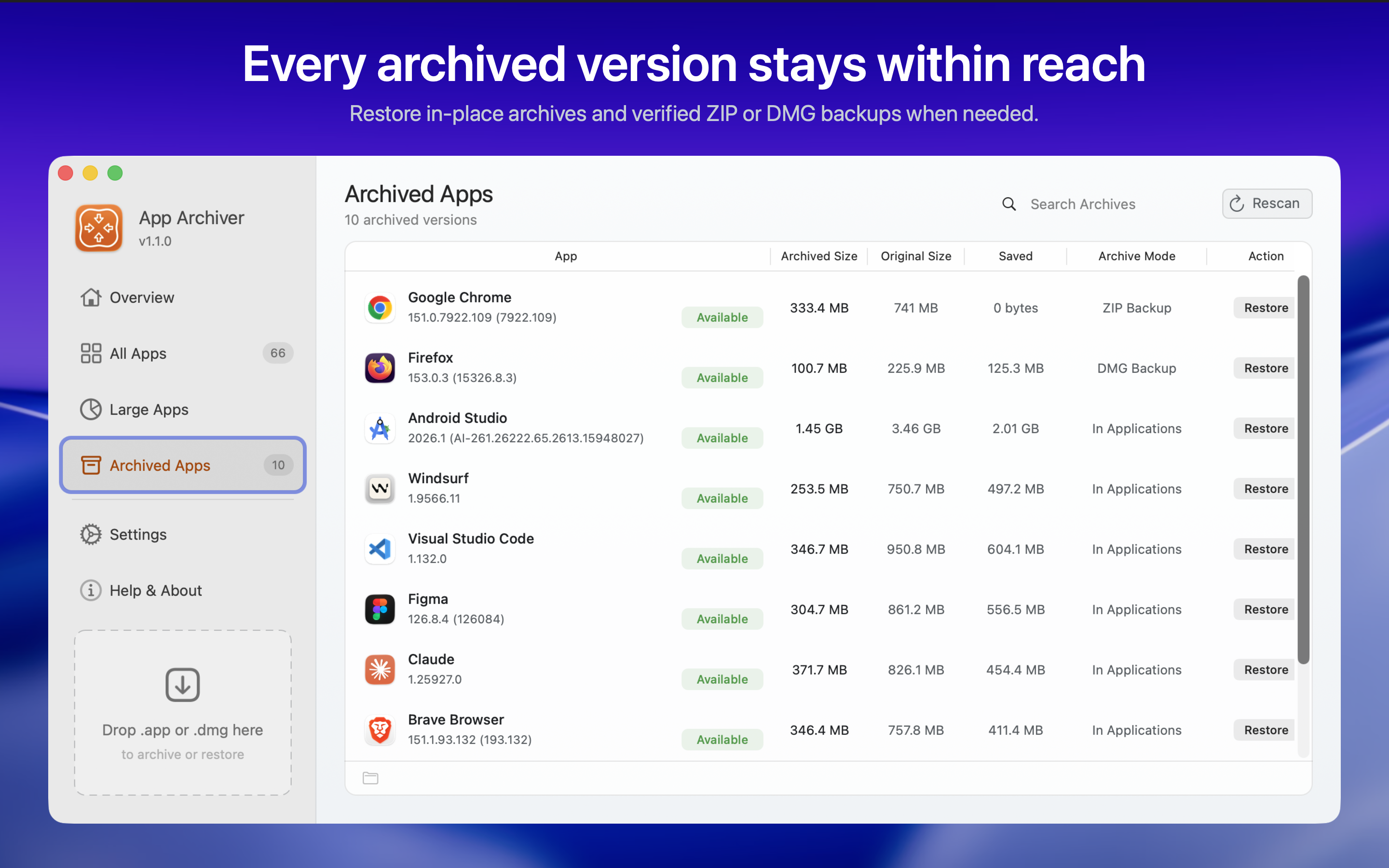
Restore a ZIP or DMG backup to the original app location or another folder you choose.
Disconnected locations stay remembered. Reconnect the drive or choose its folder again when you want to restore.
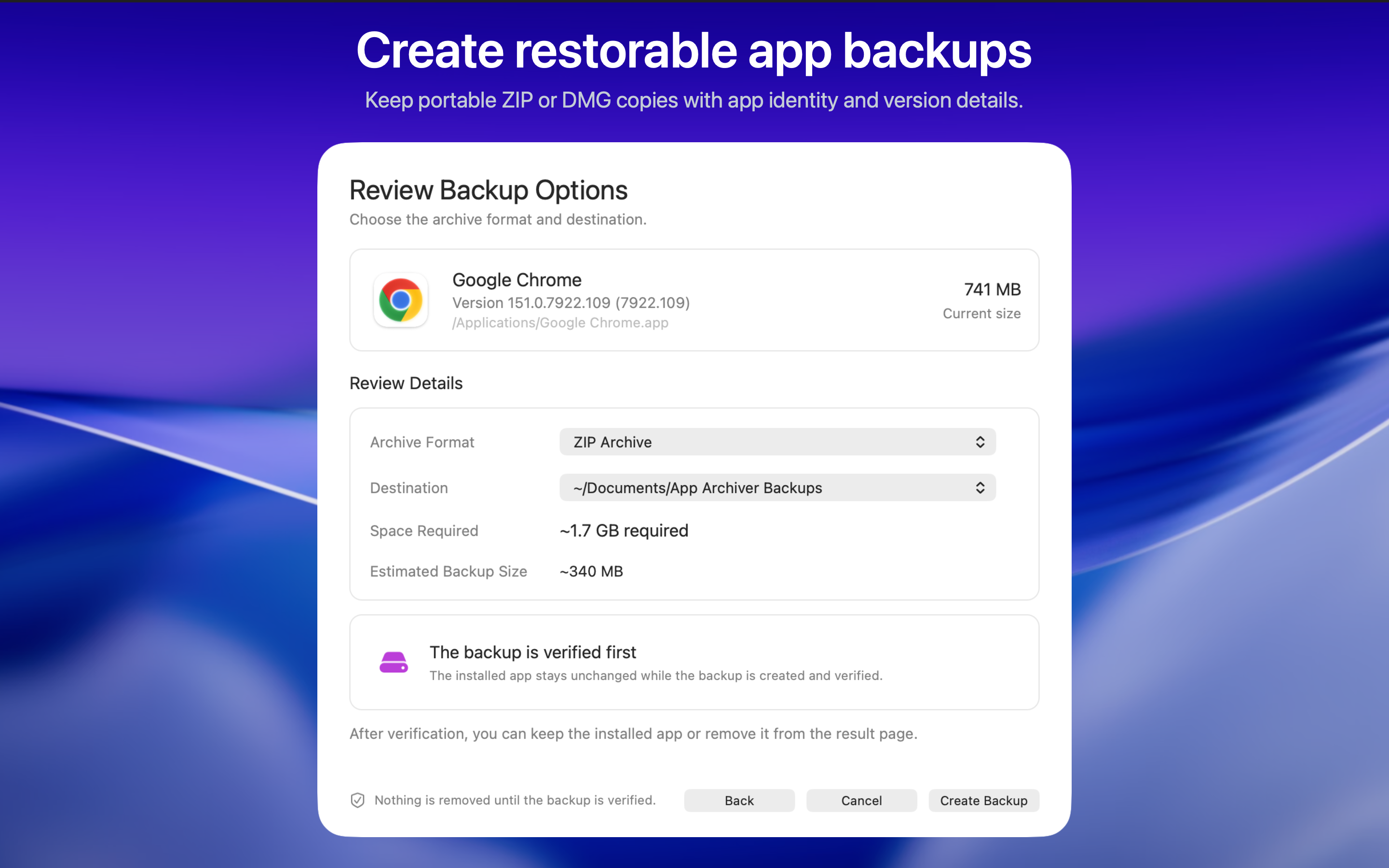
App backups
Choose a format and destination folder. Keep the backup on your Mac or an external drive. You can include a selected app data folder with the backup.
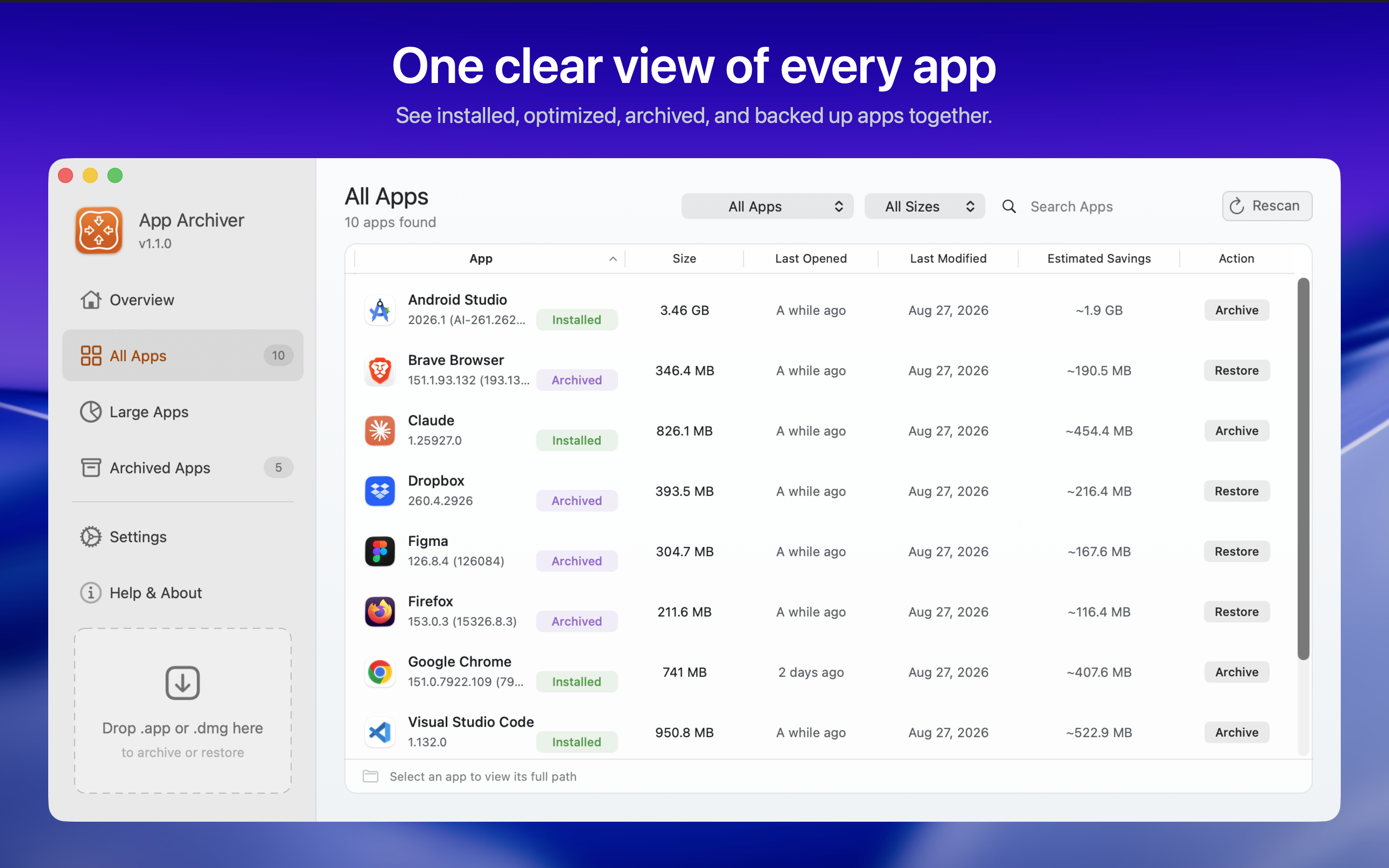
All Apps
Browse installed, optimized, archived, running, and backed-up apps together. Search, filter, sort, and rescan when your Applications folders change.
Before you start
App Archiver shows the app size and estimated savings before you confirm an action. Quit the selected app before processing it. macOS may ask you to grant folder access or approve installation.
Compare app size and estimated savings before deciding what to change.
Optimize apps you still use so they stay installed and open normally.
Archive in place so the app remains easy to find in Applications.
Bring an archived app back from the same icon when you need it again.
Keep ZIP or DMG copies in any local folder or external drive you choose.
App Archiver verifies the compressed copy before replacing the installed app.
App Archiver and DiskPress
Get App Archiver and DiskPress together at a reduced price compared with buying them separately.
Get Storage Saver DuoApp Archiver optimizes, archives, and backs up supported Mac apps. For the files and folders you keep alongside them, try DiskPress, also made by Ighor July.
DiskPress compresses ordinary files and lets identical files share storage using APFS deduplication. Files keep their names, locations, and contents. It skips application bundles and executables.
 Visit DiskPress
More by Ighor July
These apps manage app shortcuts, Dock placement, software inspection, and lock screen messages.
Browse every app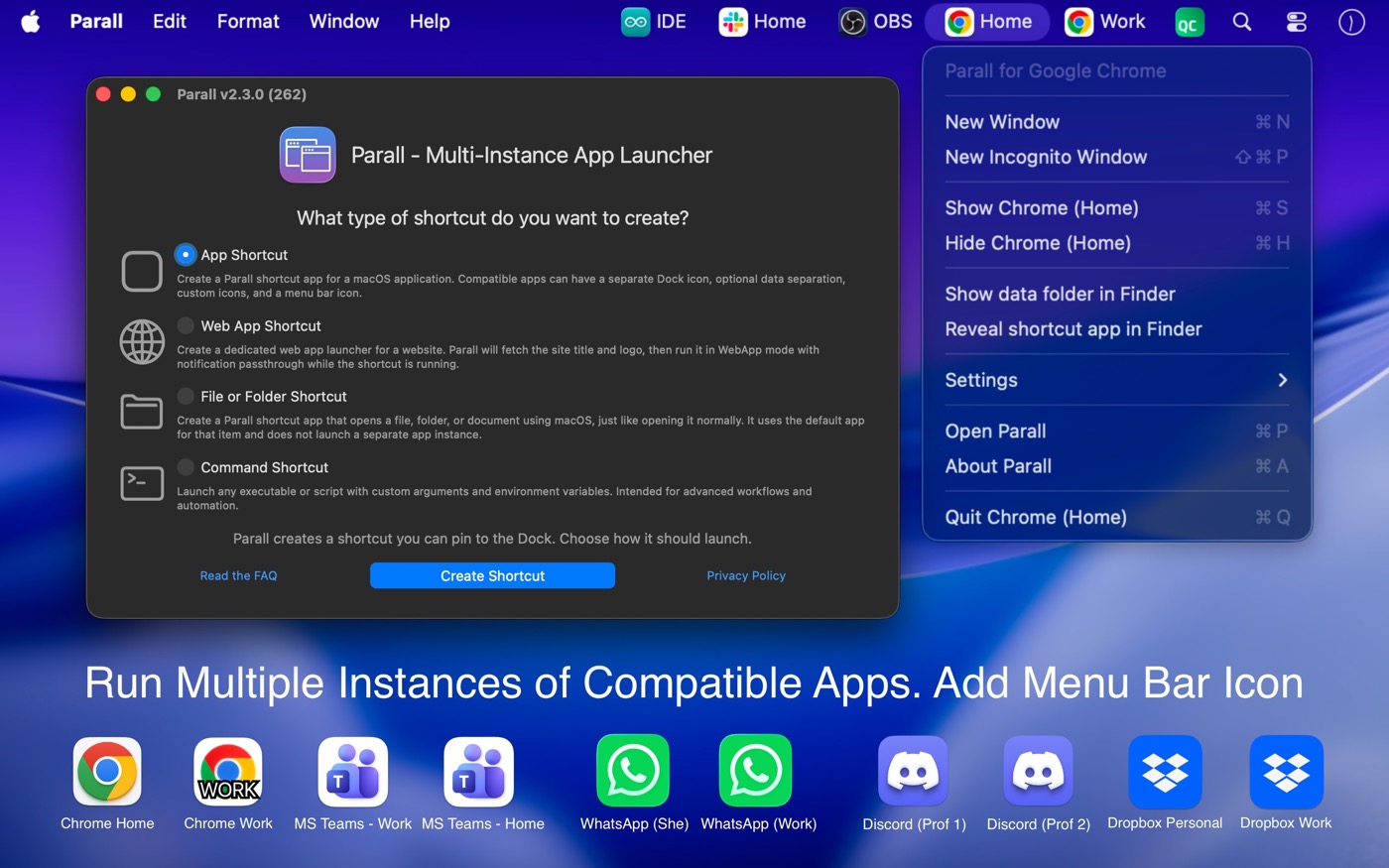

Create independent shortcuts for Mac apps, websites, files, folders, and command-line tools with their own Dock icon and launch behavior.
Visit Parall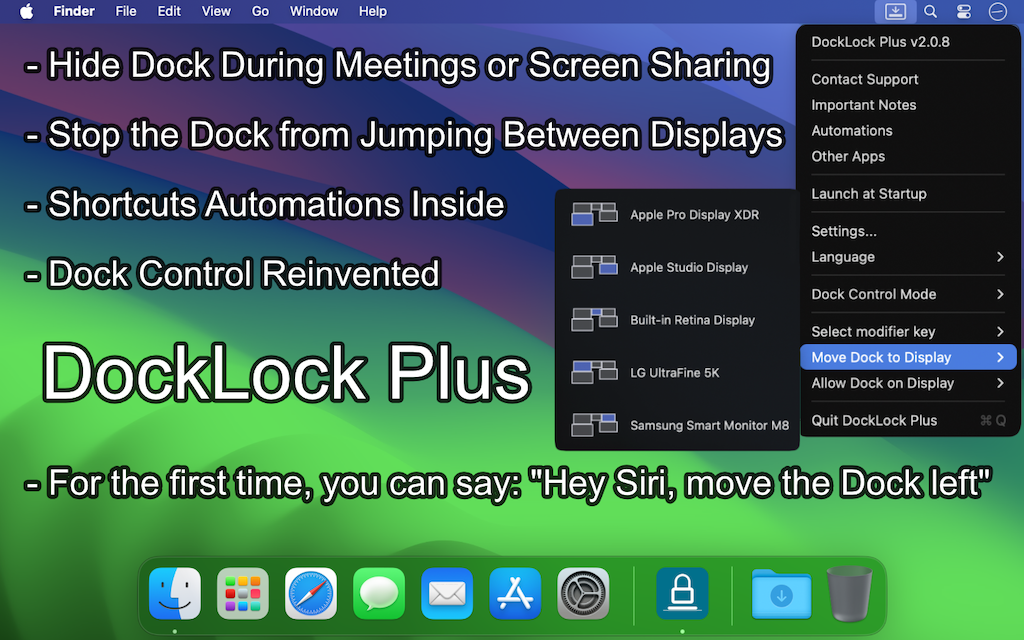

Keep the Dock on the display you choose, including after wakeups, display changes, and screen sharing.
Visit DockLock Pro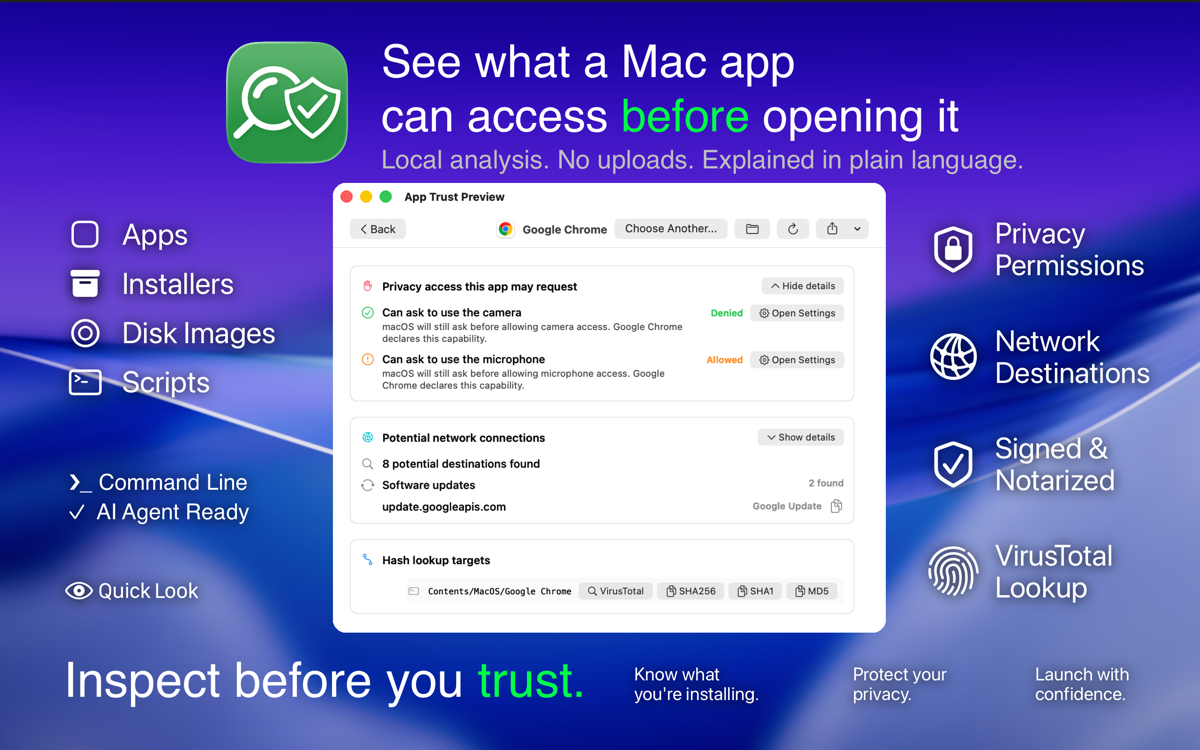

Inspect a Mac app in Quick Look, then send it to App Archiver to optimize, archive, or restore it. Add App Archiver to the "Open with other apps" panel in App Trust Preview.
Learn more about App Trust Preview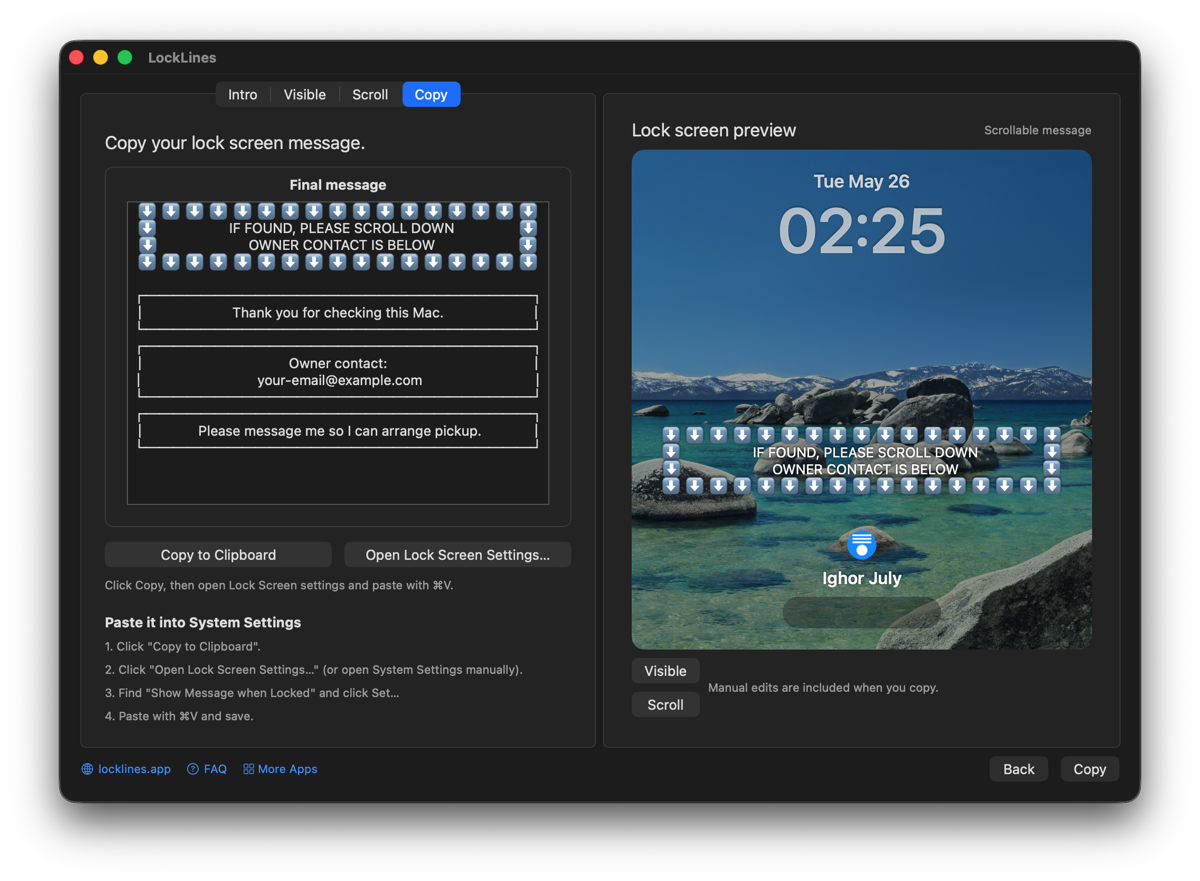

Add an owner name, return instructions, or an asset label to the Mac login screen. Preview how the text will look before applying it.
Visit LockLinesReverse Everything
Read the technical investigations, reverse engineering notes, product stories, and personal Mac history behind the apps.
Visit the blogA frozen model selector, weeks of irrelevant support, and the localization bug uncovered by reverse engineering.
Read the article Apps and tools. 5 min read.How a long-running multi-display frustration became DockLock and a deeper investigation into controlling the macOS Dock.
Read the articleLocal processing
Optimization, archiving, backups, and restoration run on your Mac. App and backup contents are not uploaded for processing. The Setapp edition also uses Setapp's account, licensing, and usage-reporting services.

App Archiver for macOS
Available on the Mac App Store and Setapp. Compress installed apps, archive them for later, or create ZIP and DMG backups.